Loan & Credit Card Dues Resolution Flow

PaisaBazaar
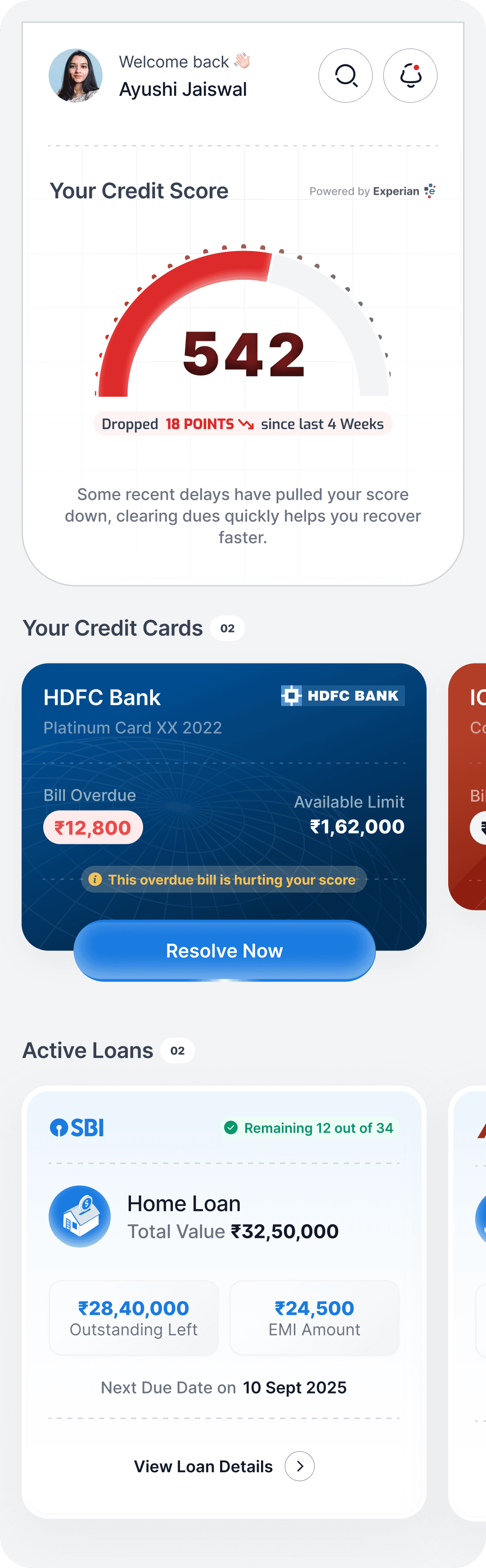
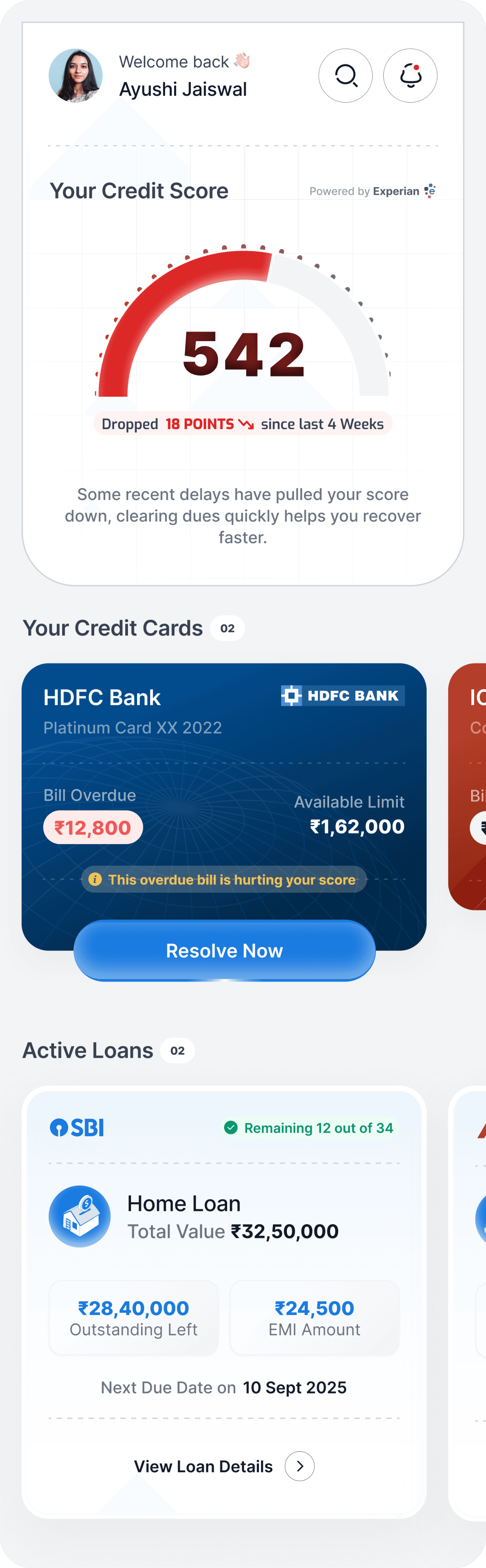
Dashboard with tiles (credit cards + loan accounts, with CTA Resolve Now)
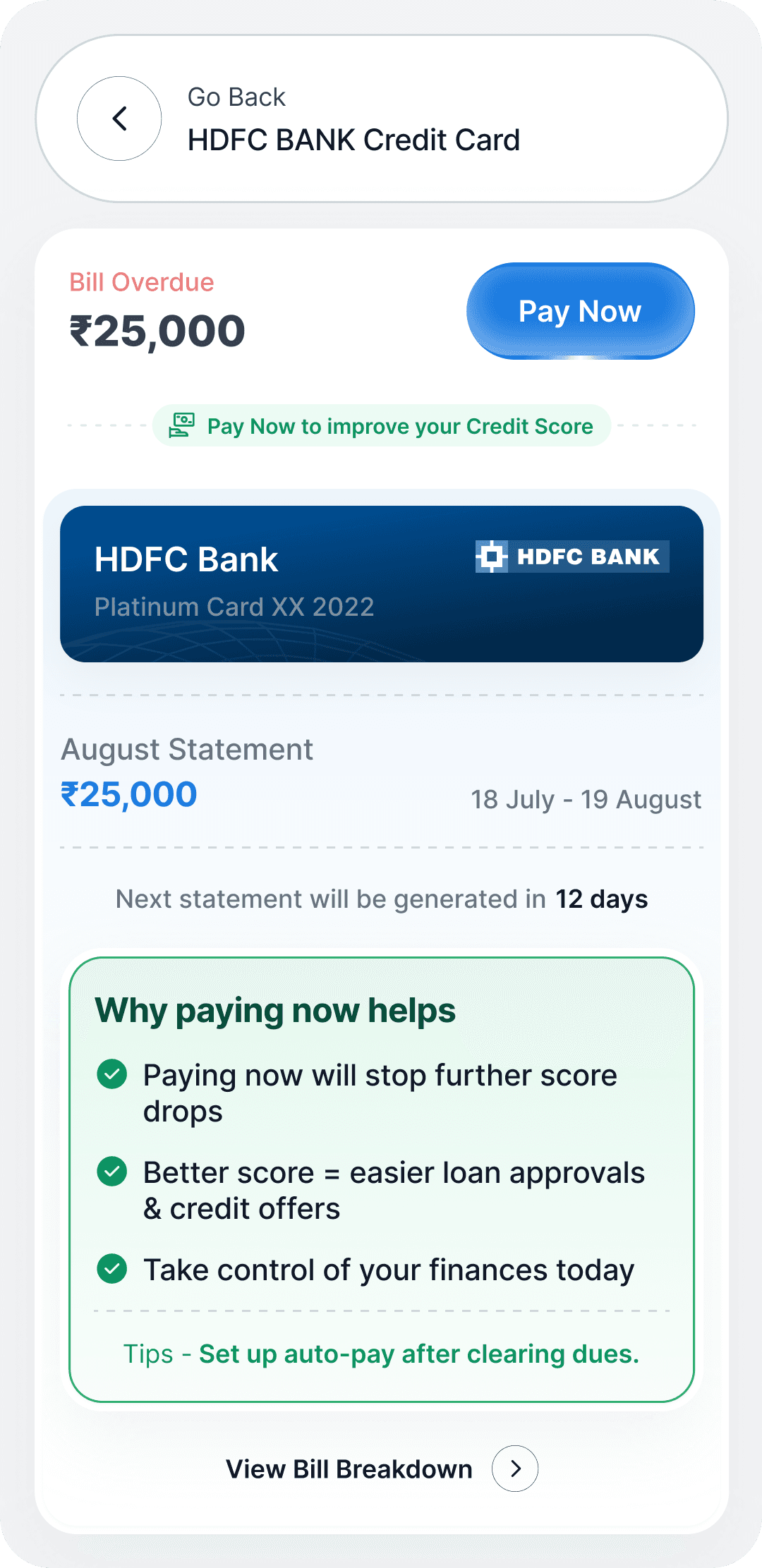
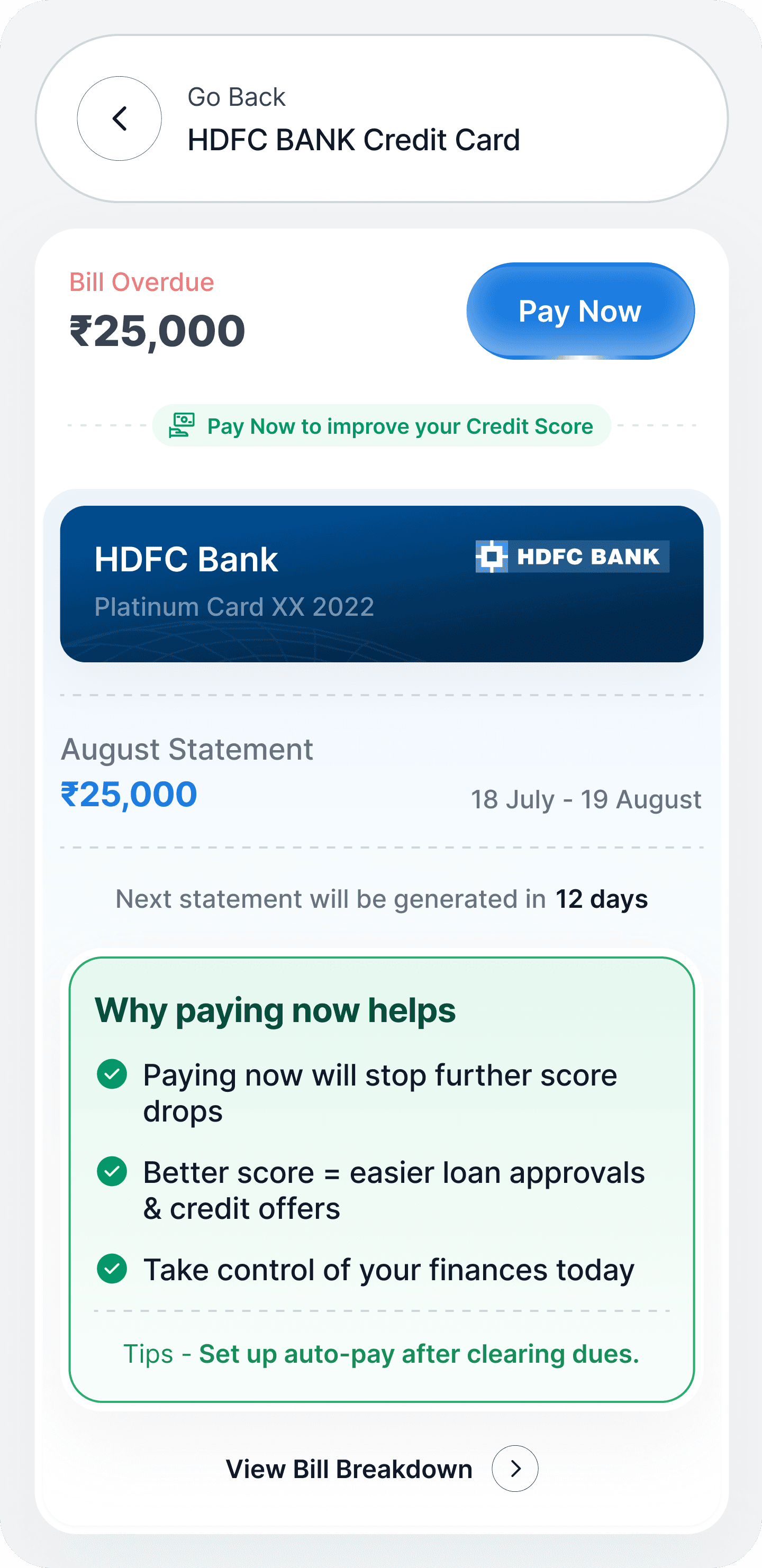
Detailed dues screen (with Pay Now CTA + benefits messaging)
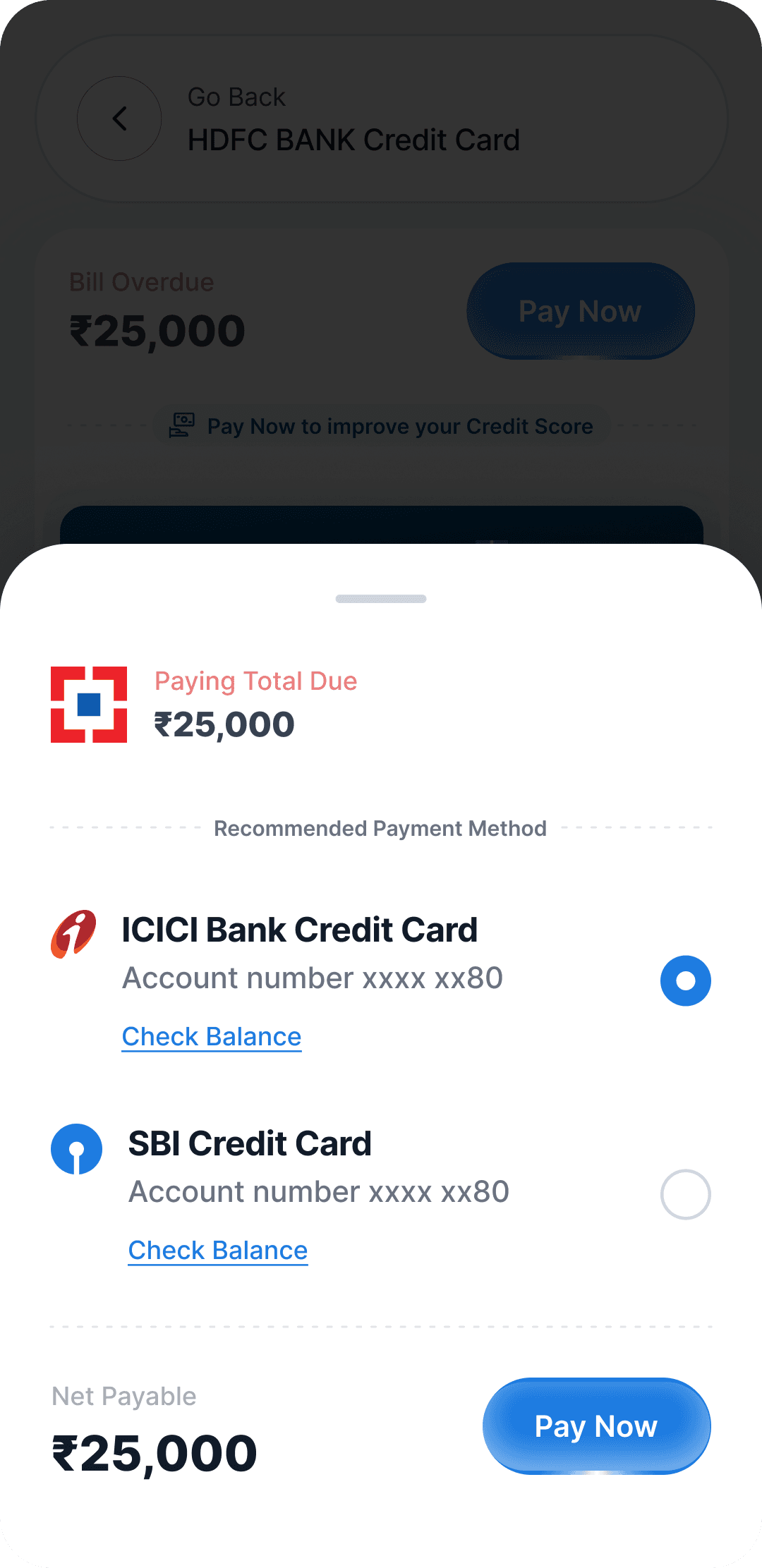
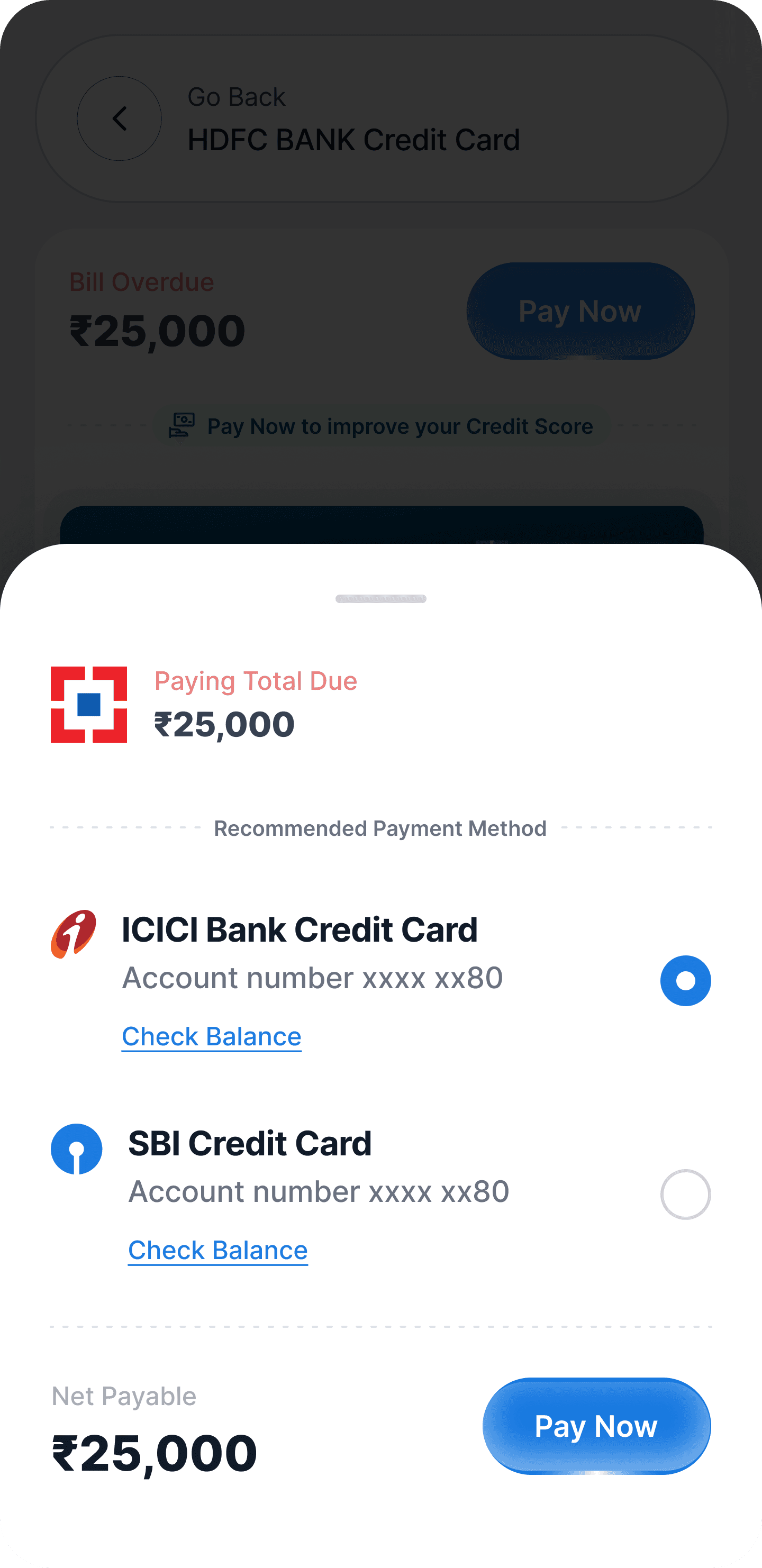
Payment method selection screen
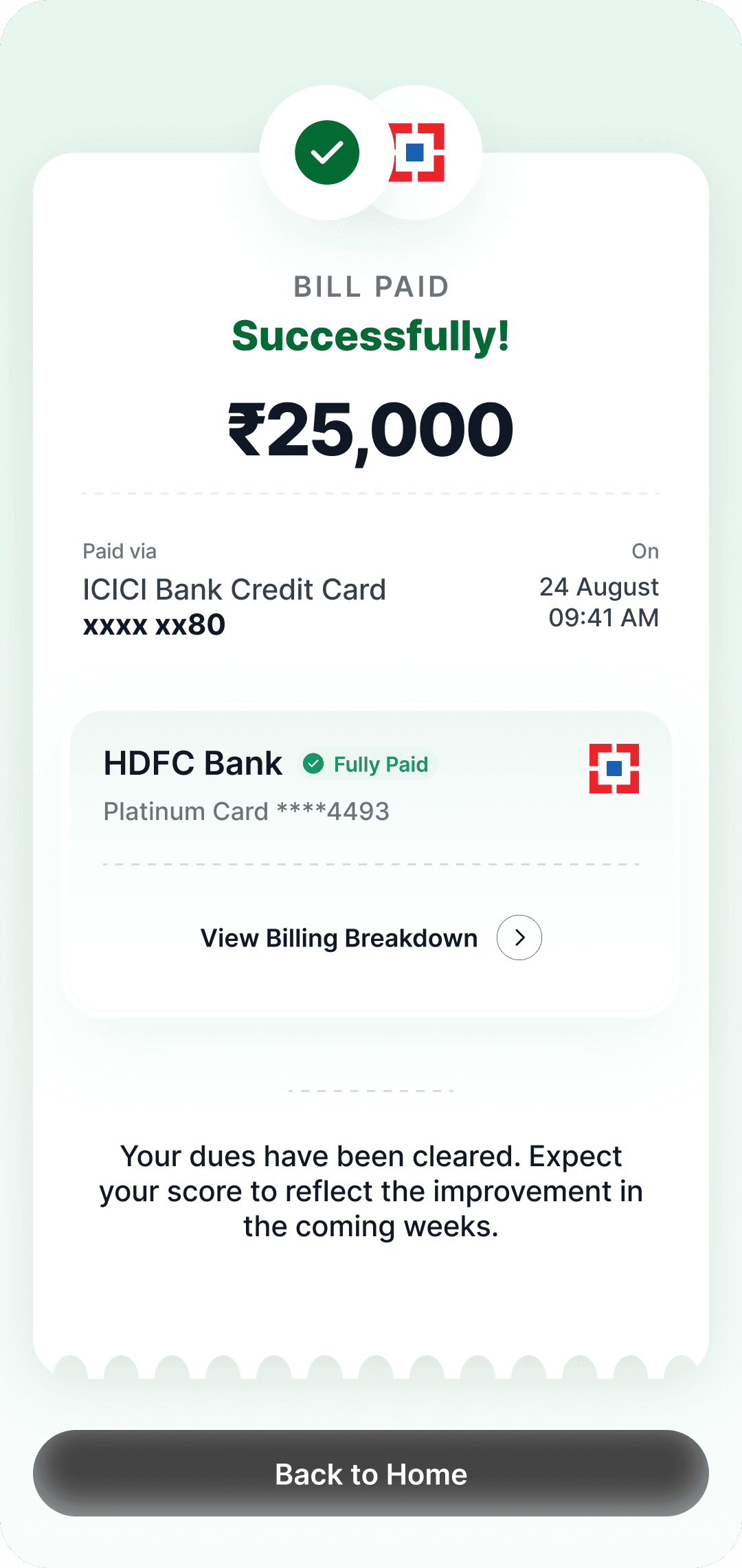
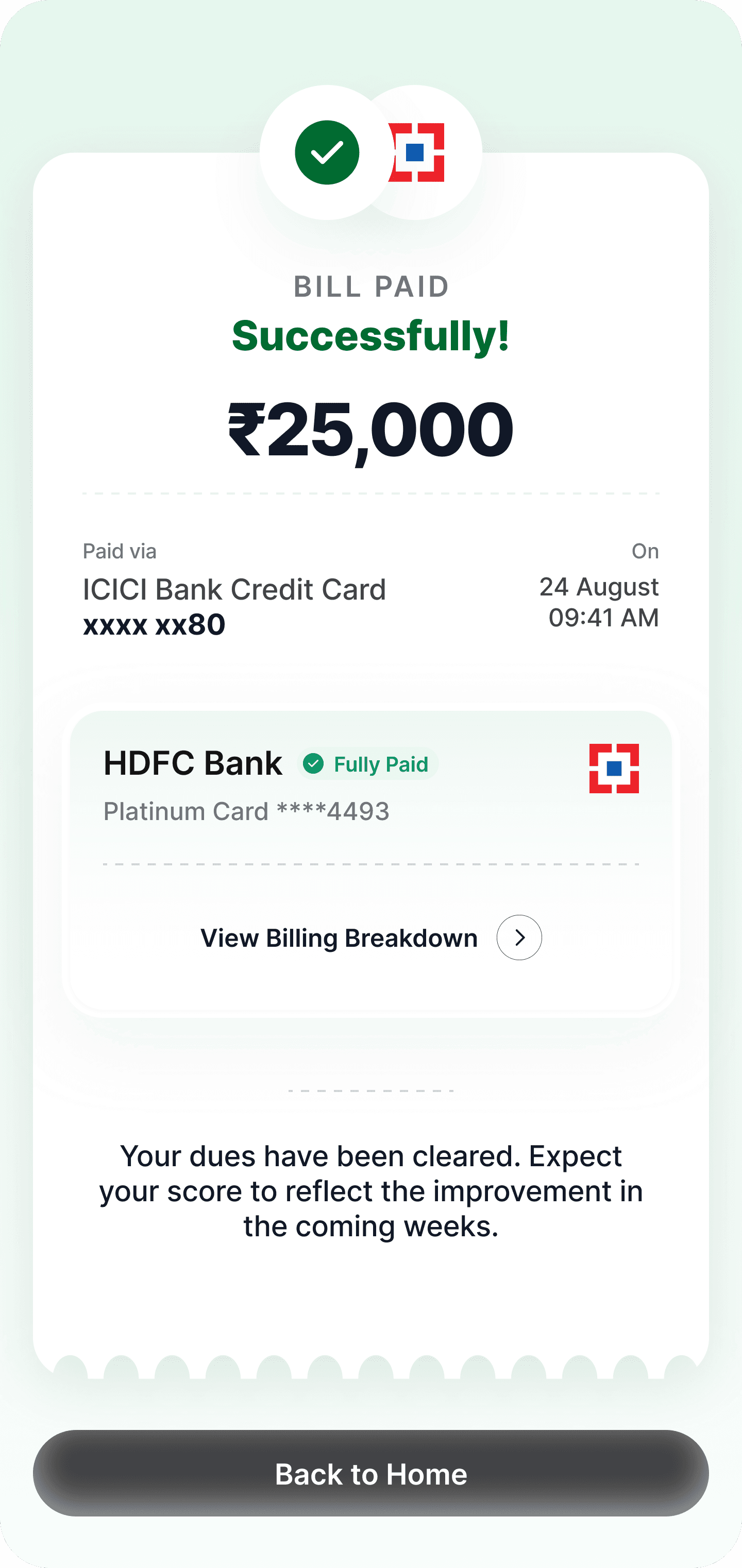
Success confirmation screen
Tools

Context
Managing credit health is crucial for financial stability. Many users struggle with pending dues across loans and credit cards, which negatively impacts their credit score.
This design project focuses on building a mobile-first flow that allows users to:
View their account summaries (credit cards & loans)
Identify dues that impact their credit score
Resolve pending payments seamlessly
Gain reassurance with transparency and benefits messaging
Design Challenges & Solution
Problem Statements
Users often face challenges such as:
Lack of proactive reminders for dues.
Anxiety around falling credit scores without clear guidance on how to improve.
Poor user experience when making payments (confusing flows, no contextual help).
Potential Solutions
The proposed solution is a simple, intuitive, and engaging mobile flow that:
Consolidates all credit cards and loans into tiles for quick scanning.
Highlights pending dues with a clear Resolve Now CTA.
Guides users through a smooth payment journey with reassurance at each step.
Uses animations, icons, and illustrations to make the flow engaging and less stressful.
User Flow
01
Dashboard
02
Dues Detail Screen
03
Payment Method Selection
04
Payment Confirmation
Design Process & Features
1. Dashboard Tiles (Account Overview)
Max width 360px for mobile-first responsiveness.
Shows mix of credit cards & loans with essential details:
Bank name
Card/account number (last 4 digits)
Loan amount / Available credit
Payment history %
Pending dues tile displays a prominent CTA → “Resolve Now” to nudge action.
(Visual reference: credit score meter + multiple cards + active loans section)
2. Dues Detail Screen (Resolve Now)
When a user taps Resolve Now:
They are taken to a detailed screen showing the due amount, billing cycle, and statement details.
Benefits of paying are clearly explained:
Stop further score drops
Easier approvals for loans & credit cards
Regain financial control
Primary CTA → “Pay Now” at the bottom ensures quick action.
3. Payment Selection
User can select from available payment methods/accounts.
Recommended method is highlighted for faster checkout.
Net payable amount is shown upfront with Pay Now CTA.
4. Payment Success Screen
Clean confirmation with a bill receipt-like UI for familiarity.
Shows:
Amount paid
Bank & card details
Date/time of transaction
Reinforces positive feedback: “Your dues have been cleared. Expect score improvement soon.”
CTA → Back to Home.
UI Screens
Dashboard Page
Loan & Bills Tiles
Due Details Page
benefits of paying
Payment Gateway
Bottom Sheet
Bill Paid
Success Screen
UI Animation
Tap to play UI Animation
Contact
Ready to bring your vision to life or just want to chat? Reach out, and let's create something memorable together.
I'm here to listen, collaborate, and craft design solutions that resonate.
ayushlabio@gmail.com